
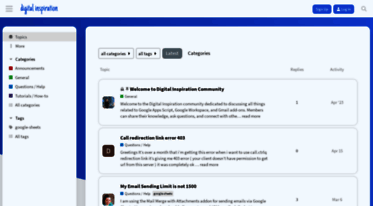
Digital Inspiration - Google Workspace and Google Apps Script.

Ctrlq. This is a community for discussing Google Workspace add-ons and Google Apps Script..
Read Ctrlq.org news digest here: view the latest Ctrlq articles and content updates right away or get to their most visited pages. Ctrlq.org belongs to a group of fairly successful websites, with more than 270K visitors from all over the world monthly. It seems that Ctrlq content is notably popular in India, as 37.9% of all users (102K visits per month) come from this country. We haven’t detected security issues or inappropriate content on Ctrlq.org and thus you can safely use it. Ctrlq.org is hosted with Google LLC (United States) and its basic language is English.
 Content verdict: Safe
 Website availability: Stale
 Language: English
 Last check:


-
8 989
Visitors daily -
8 989
Pageviews daily -
3
Google PR -
72 597
Alexa rank
Best pages on Ctrlq.org
-
Digital Inspiration - Google Workspace and Google Apps Script.
This is a community for discussing Google Workspace add-ons and Google Apps Script.
-
Rounded Images with CSS Shadows
You can take any rectangular image and apply the following CSS style to transform that image into a circular one with drop shadows and borders without editing the original images. To get started, s…
Ctrlq.org news digest
-
2 years
Send emails to multiple addresses from Google Forms
Hi Amit, may I know what the email quota is for free accounts? Would that be 400 emails each day as per:
Your email sending limit varies based on the type of your Google account. Gmail and Google Apps (free, legacy) users can send upto 400 emails per day. Google Workspace accounts can send upto 1500 emails per day with the premium edition.... -
2 years
You don’t need to build a new Twitter app for that. You can simply click the Regenerate button to create a new set of credentials to use with the Twitter bot.
-
2 years
Send emails to multiple addresses from Google Forms
Gina_Lim:
Hi, thank you for your response! In that case, is there no need to use conditional notifications? We can just use the question title to specify the different emails based on form answers to send the results to?
Conditional notifications are not required in this case. However, since you send each response to 3-5 recipients, your email quota will be reduced by the same number after each response. You may want to get a paid plan for a higher email quota.... -
2 years
Send emails to multiple addresses from Google Forms
Hi, thank you for your response! In that case, is there no need to use conditional notifications? We can just use the question title to specify the different emails based on form answers to send the results to?
Thank you!
Domain history
| Web host: | Google LLC |
| Registrar: | Public Interest Registry |
| Registrant: | Redacted for Privacy (Privacy service provided by Withheld for Privacy ehf) |
| Updated: | October 23, 2025 |
| Expires: | November 15, 2026 |
| Created: | November 15, 2010 |
Whois record
Visitor gender
Male
Female
Safety scores
Trustworthiness
ExcellentChild safety
Excellent




